Back to Main
GUI Options
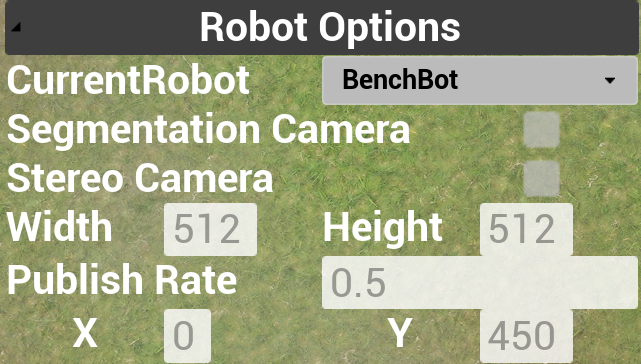
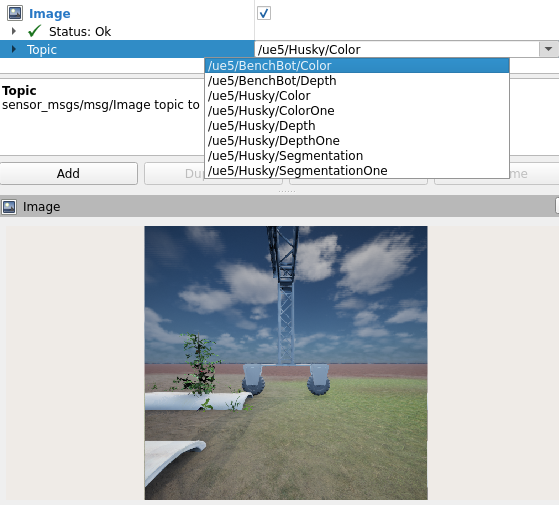
CurrentRobot - Dropdown Select which robot the following options should be applied to.
Segmentation Camera - Checkbox If the robot should publish the segmentation views (“/ue5/<CurrentRobot>/Segmentation”) in ROS.
Stereo Camera - Checkbox If the robot should publish the stereo pairs (“/ue5/<CurrentRobot>/ColorOne”, “/ue5/<CurrentRobot>/DepthOne”) in ROS.
Width/Height - Input box The resolution of the camera images.
Publish Rate - Input box The time gap between the image render in UE5 and published over ROS (actual publish rate may be slower).
X/Y - Input box Planar location of the robot (useful for getting a sense of the input in ROS).
ROS Options
LightSet:<color_temp,intensity,exposure> Changes the strobe lighting parameters. The light will always stay on in simulation.
Topics: “/ue5/<robot_name>/planar_robot_tf” the location and rotation of the base of the robot.
Topics: “/ue5/<robot_name>/joint_states” the joint position of the robot (only for BenchBot in this simulation). BenchBot joint names are “benchbot_plate” and “benchbot_camera”, both are linear joints defined in centimeters.